A ceiling fan that does not respond can have a control problem, loss of power, or a fault needing repair. Begin by noting what still works: the light, pull chain, remote, or wall control. The light operating does not prove that the motor or its control circuit is healthy. Use the manual for the fan and any separate control.
Switch off a humming or unstable fan
If the motor hums but the blades remain still, stop using the fan. Do the same for a burning odor, sparks, unusual electrical sounds, visible damage, or unstable mounting. Do not push the blades to help it start or keep cycling the controls. Keep people away from a loose fan and arrange qualified assessment. For an immediate fire hazard, leave and contact local emergency services.
This guide does not involve opening the canopy, switch housing, wall switch, or wiring connections. Turning off a wall switch is not proof that internal parts are safely isolated. Electrical diagnosis and mounting repairs belong with a qualified professional.
Which control and function still respond?
| Response already observed | Useful distinction |
|---|---|
| Remote indicator lights, but fan/light do not respond. | A transmitting indicator does not confirm that the receiver got the command. Check only the correct battery and model-approved pairing instructions. |
| Light responds but fan does not. | Report the control used and whether any fan speed responds. The light working does not establish motor or receiver condition. |
| Fan and light are both unresponsive. | Report the supplying switch/control and other power losses already noticed; nearby fittings need not share a circuit. |
| Motor hums, blades remain still, or mounting is unstable. | Stop use and arrange assessment. Do not push the blades or cycle power to assist starting. |
Hunter’s linked checklist includes model-dependent control checks as well as internal wiring steps. Only the normal user controls are covered here. A capacitor, receiver or motor cannot be selected for replacement from this response table. Keep the fan model and separate remote/wall-control model together when requesting help.
Check the normal control path
If there are no warning signs, verify the intended wall switch position. A remote-controlled fan may still need its supplying wall switch on. For a pull-chain fan, use gentle normal pulls to check the speed settings. Stop if the chain is stuck or damaged; do not yank it or dismantle the switch.
For a remote, check the battery type, condition, and orientation, then try its normal controls from a reasonable distance. A remote indicator lighting up does not prove that the fan received the command. Note whether the light responds to the same remote while the fan does not.
Use only the pairing or reset process stated for the exact model. Some remotes control more than one unit or require a specific pairing sequence. Random pairing changes can make the symptom harder to interpret. Do not open the ceiling receiver to follow a generic internet wiring procedure.
Check an accessible direction switch only as permitted
Some fans have a user-accessible reversing switch that must be fully engaged. Others reverse through a remote or electronic control. Follow the manual, with the fan stopped, and do not reach toward moving blades. Skip this check if access requires opening a housing or unsafe climbing.
Hunter’s stopped-fan guidance identifies control positions and the model manual as useful starting points. Its wiring checks are outside the scope of this homeowner guide. Do not transfer instructions for a Hunter model to another manufacturer without checking that model’s instructions.
If both the fan and light are dead
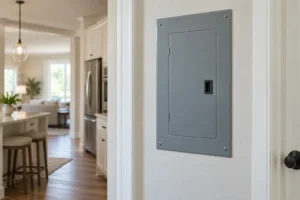
Note whether other lights or outlets on the same suspected circuit have also stopped. Do not assume nearby devices necessarily share a circuit. If an intact, dry panel is safely accessible and you can identify the circuit, follow the manufacturer’s normal breaker instructions. Never remove the panel cover.
A tripped breaker may be reset once only when there are no warning signs and it is safe to do so. If it trips again, leave it off and request an electrician; do not keep resetting it to run the fan. See the repeated-breaker-trip guide. Stay away from a wet, damaged, hot, or noisy panel.
If only one function or speed fails
Record whether the light works, which fan speeds respond, which control was used, and whether the fault followed installation or a control replacement. These details help distinguish a control symptom from a complete power loss, but they do not prove that a capacitor, motor, or receiver has failed. Do not buy or fit a guessed electrical component.
For a newly installed fan, request the installer’s assessment. For a previously working fan, contact the manufacturer or a qualified electrician with the model and symptom history. Check parts and warranty requirements before arranging a repair; never send components to a manufacturer without its instructions.
Check a restored fan without overlooking the original problem
If a normal switch or battery correction restores operation, verify the normal speeds and controls while watching from a safe position. Stop for abnormal noise or movement. A return to operation does not excuse earlier burning, repeated trips, or unstable mounting. Record the correction and any recurrence so the service provider can investigate the complete history.