When an air conditioner is running but the home stays warm, distinguish three patterns: little air reaches the room, air moves but is not cool, or cool air reaches some rooms while others remain hot. The indoor fan running does not establish that the cooling system is operating. This guide covers normal user controls and visible checks; use the manual for your exact system.
Stop for ice, water, or electrical warning signs
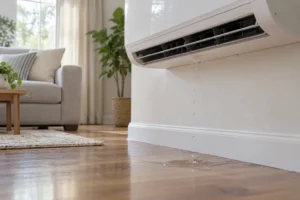
Stop cooling and arrange service if you see significant ice, water escaping into the home, a burning smell, scorching, or unusual electrical sounds. For an immediate fire hazard, leave and contact local emergency services. Do not approach wet electrical equipment or remove covers. Let a qualified HVAC technician investigate freezing or recurring leaks; do not chip ice, add refrigerant, or bypass a safety switch.
Choose the cooling pattern before changing settings
| Pattern | Appropriate first scope |
|---|---|
| Little air reaches the room. | Model-permitted filter care and clear accessible air openings; persistent weakness needs airflow assessment. |
| Air moves normally but stays warm. | Normal cooling/fan controls and service if cooling remains absent; airflow alone does not prove active cooling. |
| Some rooms cool while another stays hot. | Use the room-comparison guide before treating this as whole-system failure. |
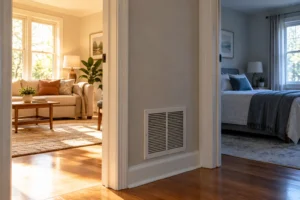
Central ducted systems have supply/return distribution paths. Ductless indoor heads and window/portable units do not share that same register checklist. Identify the actual type and manual before choosing an access or maintenance procedure. Carrier’s linked troubleshooting example supports normal controls/filter checks, not universal panel access or a refrigerant diagnosis.
Record the symptom before changing settings
Note the room temperature, selected temperature, time, affected rooms, and whether the problem began after an outage, maintenance, a filter change, or hotter weather. Check whether you have central ducts, a ductless split, or a room unit. A central-system register checklist may not apply to a ductless or window unit.
For a central system, compare accessible supply outlets while cooling is called for. Is airflow weak everywhere, strong but warm everywhere, or cooler in most rooms with one warm room? You do not need to open the unit or insert tools into a vent. Treat your observations as clues, not a component diagnosis.
Check the thermostat and normal controls
Confirm cooling mode and a setting below the room temperature. Check the schedule, temporary hold, and any displayed message. A fan set to continuous operation can move room-temperature air between cooling cycles. Use the manual’s cooling and fan settings and allow any specified restart delay; repeatedly switching the system off and on makes the behavior harder to interpret.
Carrier’s AC troubleshooting guidance explains the distinction between fan operation and active cooling, and separates accessible checks from electrical and refrigerant work. Its recommendations are general; controls and filter access vary by model.
If airflow is weak
Check a user-accessible filter only as the manual permits, with the system stopped as directed. Verify its size, orientation, condition, and type. Clean a reusable filter or replace a disposable one according to those instructions; do not wash a filter intended for disposal or operate without a required filter. Note whether the problem started immediately after fitting a different filter.
Keep visible supply and return openings clear of furniture, curtains, and stored items. Do not close many vents to force air elsewhere. If airflow remains weak after the permitted filter and obstruction checks, a technician should investigate. The cause could be elsewhere in the air path or equipment, and a clean filter does not rule that out.
If airflow is strong but the air stays warm
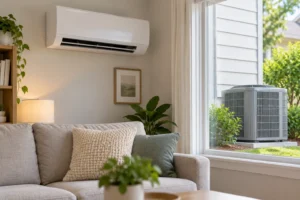
For a split system, observe the outdoor unit from a safe distance while the thermostat calls for cooling. Record whether it appears to run and whether there is unusual noise. A turning fan alone does not confirm compressor operation. Do not put your hands through the grille, push the fan, open a disconnect, or remove a panel.
Keep the surrounding area free of loose obstructions within the manufacturer’s required clearances. If the outdoor unit remains inactive, or the air stays warm despite correct controls and a clear filter, request service. Warm air does not prove a refrigerant shortage; several mechanical, electrical, and control faults can produce similar symptoms. Repeated resets or a refrigerant top-up without diagnosis can miss the underlying problem.
If some rooms cool but others do not
Compare the warm room’s unobstructed vent and return path with nearby rooms, and note whether closing its door changes the pattern. Record strong afternoon sun, an open window, or a recent furniture change. This helps separate room conditions from a whole-system loss of cooling. See the uneven-room-temperature guide rather than repeating whole-system resets.
If all rooms receive cool air but the temperature does not fall, record whether this occurs only during peak heat or throughout the day. Check normal door/window closure and the thermostat schedule. A very low setting is not a useful diagnostic test. Equipment sizing, duct leakage, insulation, and system performance need assessment rather than conclusions from one hot afternoon.
Check the outcome and request the right service
After a permitted control or airflow correction, keep a short temperature and symptom log under similar conditions. Improvement should be sustained, not just a brief cold sensation at a vent. Stop and request service if ice, leakage, or electrical symptoms appear.
Give the technician the system model, affected rooms, thermostat readings, filter details, onset, and outdoor-unit observations. For repeated starts and stops, use the cycling guide; for indoor drips, use the AC water-leak guide. Do not keep operating a faulty system solely to collect more evidence.